Hovering over Appearance -> Customize, you can access the Customizer.
- How to Edit your website’s Typography
- How to Edit your website’s Colors
- How to Edit the Site Style & Settings
- How to Edit Pages & Special Pages
- How to Edit the Top Bar
- How to Edit the Header
- How to Edit the Blog
- How to Edit the Sidebar
- How to Edit the Footer
- How to Edit the SEO Settings
- How to Edit the Performance Settings
- How to Edit the Site Preloader
- How to Manage WooCommerce
- How to Edit the Sticky Header
- How to Edit Social Sharing
- How to Edit Product Sharing
- How to Edit the Site Identity of your Website
- How to Edit your Website’s Menus
- How to Edit the Homepage
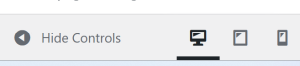
At the very bottom, you can choose to view your website on Desktop, Tablet or Mobile view. You may also choose to hide the side-panel.