Here’s a brief guide on managing your website’s SEO settings using WordPress and OceanWP:
-
Access Your WordPress Dashboard
Log in to your WordPress site using your username and password, as mentioned in “How to Log In to Your WordPress Dashboard”. -
Navigate to the Customizer
From the dashboard, go to Appearance > Customize.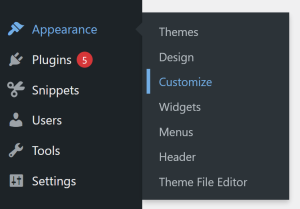
- Navigate to the SEO Settings
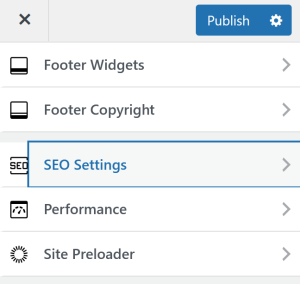
Inside the Customizer, open SEO Settings. This is where you can change the settings of your site’s SEO.
- Customize SEO Settings
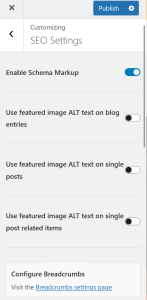
Inside, you can see settings to turn on featured image ALT text on blog entries, single posts and related items.
- Social Media and OpenGraph
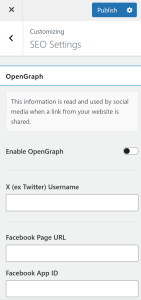
You can also link your Social Media, or the Social Media of your business. You can enable OpenGraph here as well.
-
Save and Publish
Once you’re satisfied with your edits, click Save & Publish to make the changes live.